
CleanCurb NYC
NYC Sanitation Collection Schedules & Trash Containerization Rules
1. Purpose and Civic Intent
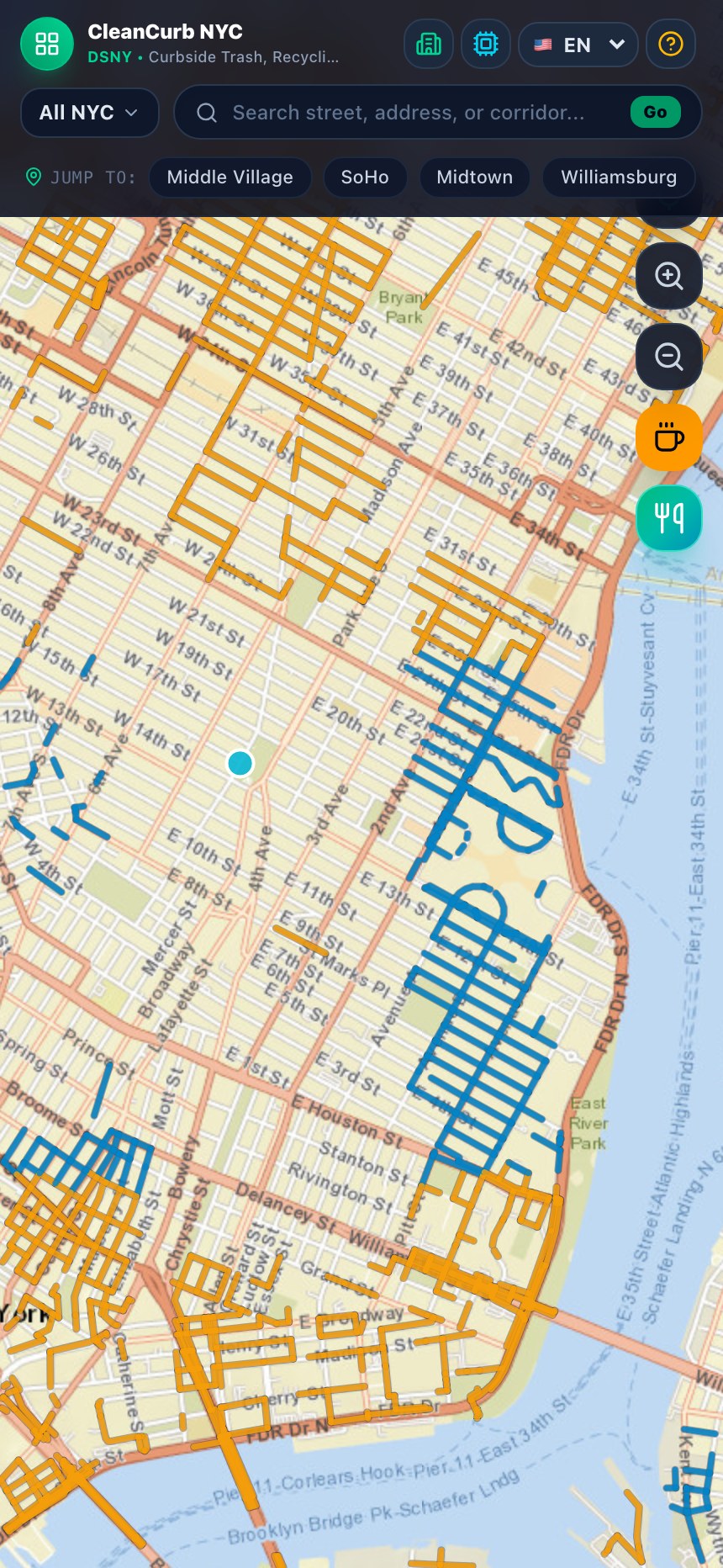
Guide homeowners, residential tenants, superintendents, and businesses through DSNY waste setout timetables, recycling streams, composting mandates, and commercial container regulations.
2. Authoritative Public Data Sources
This civic utility is developed and curated independently by DJ Tech NYC under the statutory authority of the New York City Open Data Law (Local Law 11 of 2012). Primary municipal data feeds powering this application include:
NYC Department of Sanitation (DSNY) collection routing databases, Curbside Composting guidelines, and NYC Administrative Code § 16-120.
3. How to Use the Application
Designed for rapid, touch-friendly interaction on smartphones as well as precision desktop workflows, users can access the application through the following operational workflow:
- Enter any NYC street address to retrieve the designated collection days for Trash, Recycling (Metal/Glass/Plastic and Paper), and Curbside Composting.
- Review official containerization rules, including required secure bins with tight-fitting lids for 1-9 unit residential buildings.
- Check legal setout times (e.g., 6:00 PM in bins or 8:00 PM in bags) to prevent sanitation summonses.
- Receive seasonal reminders for leaf collection, holiday tree disposal, and special electronics drop-off events.
4. Key Architectural Capabilities
Address-specific calendar for garbage, recycling, and organic composting pickup
Comprehensive guide to avoiding DSNY setout summonses and improper container fines
Special instructions for bulk item disposal and certified refrigerant appliance pickup
Official guidelines for commercial waste containerization rules
5. Browser Compatibility & Technical Access
CleanCurb NYC operates as a progressive, zero-install Web Application accessible through modern standard browsers including Chrome, Safari, Edge, and Firefox. Users on iOS and Android can add the tool directly to their device home screen via the browser's "Share → Add to Home Screen" action for native full-screen dock access.