TowWatch NYC
Locate Towed, Booted & Relocated Vehicles Across NYC
1. Purpose and Civic Intent
Provide rapid relief to drivers who return to an empty curb by deciphering whether their vehicle was relocated for emergency utility work, impounded by NYPD Traffic, or booted by the Department of Finance for unsatisfied summonses.
2. Authoritative Public Data Sources
This civic utility is developed and curated independently by DJ Tech NYC under the statutory authority of the New York City Open Data Law (Local Law 11 of 2012). Primary municipal data feeds powering this application include:
NYPD Auto Crime Division impound lot feeds, NYC Department of Finance Judgment Debt registry, and Citywide Tow Operations dispatch endpoints.
3. How to Use the Application
Designed for rapid, touch-friendly interaction on smartphones as well as precision desktop workflows, users can access the application through the following operational workflow:
- Input your vehicle license plate and registration state to query municipal towing and boot rosters.
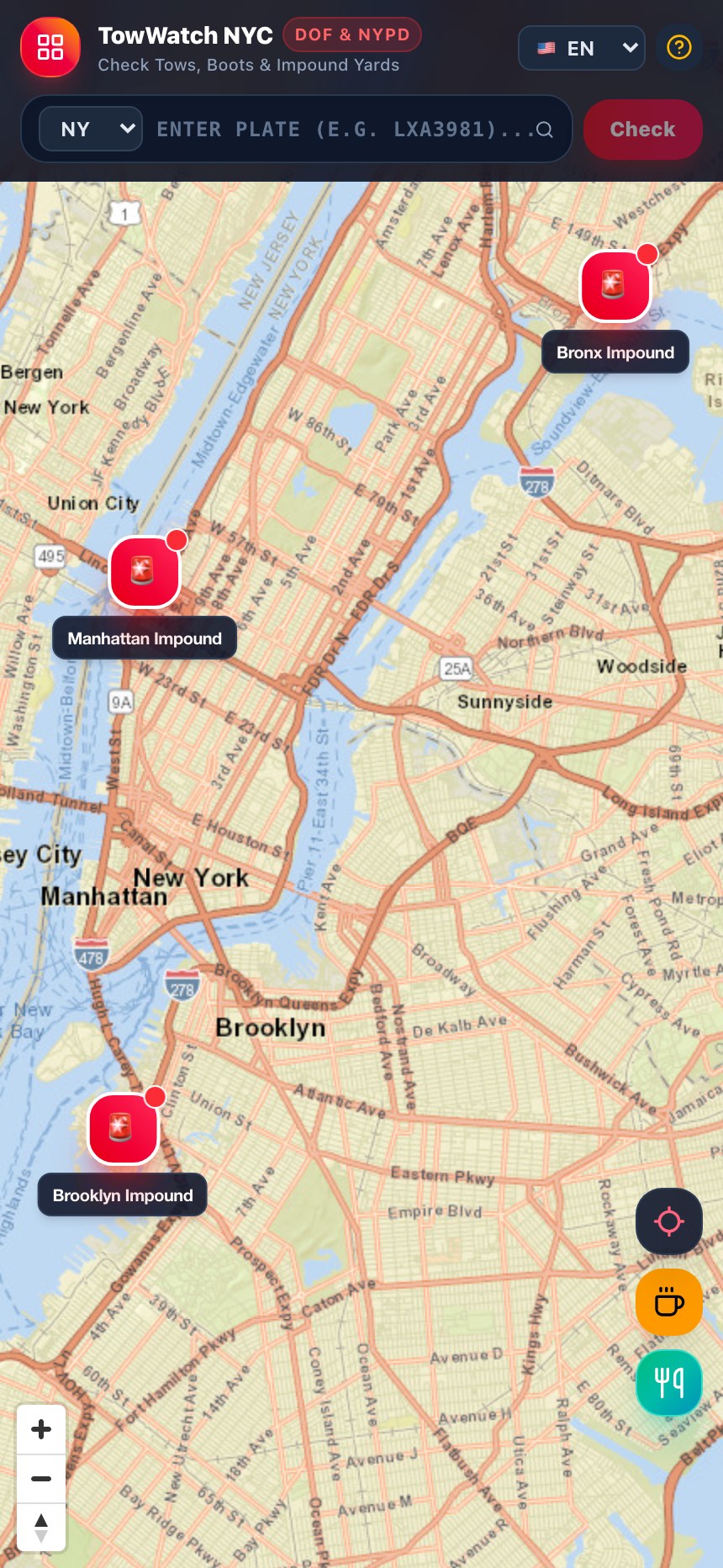
- Determine which specific impound pound holds your vehicle (e.g., Manhattan Pier 76, Brooklyn Navy Yard, Queens College Point).
- Review required release documentation, including proof of registration, insurance, valid government ID, and payment clearance.
- Check emergency street closure orders to verify if your car was legally relocated to an adjacent block face.
4. Key Architectural Capabilities
Comprehensive directory of all borough NYPD tow pounds with hours and fee schedules
Department of Finance $350 judgment debt threshold explanation and boot removal instructions
Step-by-step checklist to contest improper tows before the Office of Administrative Trials and Hearings (OATH)
Immediate phone and location links for prompt vehicle recovery
5. Browser Compatibility & Technical Access
TowWatch NYC operates as a progressive, zero-install Web Application accessible through modern standard browsers including Chrome, Safari, Edge, and Firefox. Users on iOS and Android can add the tool directly to their device home screen via the browser's "Share → Add to Home Screen" action for native full-screen dock access.